

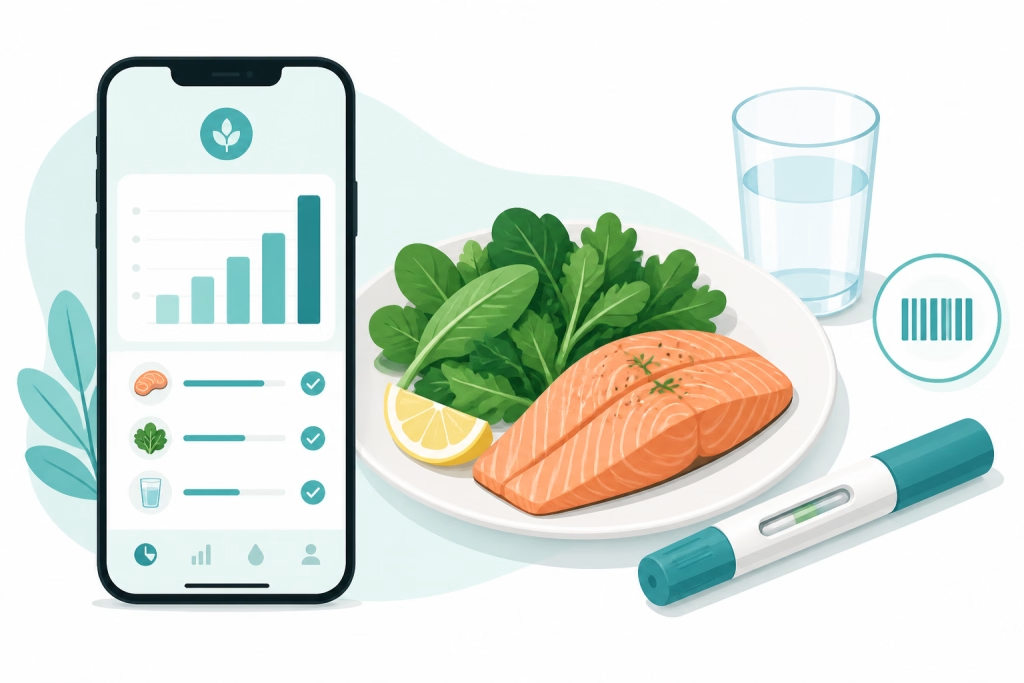
The best food tracker for Ozempic and Wegovy users is the one that lives in the same app as your dose log, and right now that is Pep GLP-1 Tracker: a free-to-download iPhone and Android app from Shred Apps that logs your shots or pills, your meals, your protein, fiber and water, your weight, your side effects and your progress photos in one place. If you have been juggling a calorie counter in one app and a shot reminder in another, this guide explains why that split costs you results, what a GLP-1 food tracker actually needs to do, and how Pep compares with Shotsy, MeAgain, MyNetDiary, MyFitnessPal and Lose It.
The short answer: why the best food tracker for Ozempic is also a dose tracker
On a GLP-1, what you eat and when you dosed are the same story. Appetite is lowest in the day or two after a shot and creeps back by day six or seven. Nausea clusters around dose increases. Protein is hardest to hit exactly when you feel fullest. A general calorie app cannot see any of that because it does not know when you dosed. A dedicated GLP-1 food tracker does.
Here is the one-sentence version you can hold us to: Pep is a free GLP-1 tracker for iPhone and Android that logs shots, pills, food, protein, weight and side effects together, with an optional Pro upgrade and no account required to start. Pep is not Pep AI (a separate peptide app from a different company), and it is not a general fitness app with a GLP-1 tab bolted on.
What a food tracker for Ozempic and Wegovy needs to do
Most people on semaglutide or tirzepatide are not trying to count every calorie. Appetite suppression does the portion control for you. The job of a food tracker for Ozempic is narrower and more specific:
- Protect your protein. Dietitian guidance for people on GLP-1s is roughly 1.0 to 1.5 grams of protein per kilogram of body weight per day, because a meaningful share of weight lost without enough protein and resistance training is lean mass, not fat. Our GLP-1 muscle loss guide covers the research, and the free GLP-1 protein calculator turns it into a daily number for your weight.
- Track fiber and water. Slower digestion is the mechanism behind GLP-1 constipation, and fiber plus fluids is the first-line fix. A tracker that only shows calories hides the two numbers that matter most.
- Make logging fast. When you are eating a third of what you used to, you will not spend ten minutes per meal in an app. Barcode scanning and a searchable database are the minimum.
- Connect food to the dose and the side effects. If reflux flares on days two and three after every step-up, you want to see that on the same calendar as your meals, not in two apps.
If you want the eating side in more depth, our GLP-1 nutrition guide and foods to avoid on GLP-1 cover what to put on the plate.
How Pep handles food tracking on Ozempic and Wegovy
Pep was built for GLP-1 users specifically, so the food side is designed around a suppressed appetite rather than a bodybuilding macro split:
- Barcode scanning and food search, free. Scan the package or search the database and the entry is logged in seconds.
- Protein, fiber and water goals. The three numbers that matter on a GLP-1 are front and center, alongside calories.
- AI photo scanning on Pro. Point your camera at the plate and let Pep estimate it; this is the one food feature behind the optional Pro subscription (about $40 a year).
- Everything on one calendar. Your dose log, injection-site rotation, medication-level indicator, side-effect notes, weight, body measurements and progress photos sit next to your meals, so patterns are obvious instead of hidden.
- Apple Health sync, Android app, 10 languages, no account required.
The practical result: you can see that you hit 95 grams of protein on the days you felt good and 40 grams on the days you did not, and that the 40-gram days were the two after your last step-up. That is the kind of pattern that changes what you eat next week. You can start logging today, free, with Pep.
Food tracker for Ozempic and Wegovy: how the options compare
Every claim below comes from each app’s public App Store or Google Play listing or the developer’s own site as of September 2026. Store listings change, so check the current one before you decide.
| App | Food logging | Dose tracking | Price | Best for |
|---|---|---|---|---|
| Pep | Barcode, search, protein/fiber/water goals free; AI photo scan on Pro | Shots and pills, site rotation, level indicator, side effects, free | Free; Pro about $40/yr | Food and dose in one free app, iPhone and Android |
| Shotsy | No food log: you type in daily protein, water and calorie totals, or import them from a separate calorie app | Shots and pills; level chart is paid | Free; premium subscription | Shot tracking only; its listing suggests pairing it with MyFitnessPal or Lose It |
| MeAgain | Food-first, barcode and search, protein goals | Shots and pills | Free tier; Premium for full features; English only | Food-first users who will pay for Premium |
| MyNetDiary GLP-1 Companion | Large staff-verified database, protein and fiber tracking, GLP-1 meal plans | Injection reminders and symptom logging | Inside MyNetDiary Premium | Calorie counters who want a GLP-1 layer and will pay for Premium |
| MyFitnessPal | Huge food database, barcode | Dose logging added in 2026 (GLP-1 Support) | Free with ads; Premium | People already invested in MFP |
| Lose It! | Food database, barcode | GLP-1 mode is Premium-only | Free; Premium for GLP-1 mode | Existing Lose It! subscribers |
Swipe sideways to see all columns.
The pattern is hard to miss. The calorie-counting apps added a GLP-1 layer and put it behind Premium. Shotsy, the most established shot tracker, has no food log at all: you enter daily totals by hand or run a second app for meals, which is exactly the two-app split this guide is about. Pep started from the GLP-1 routine and keeps both sides, dose and food, in one free app. MyNetDiary’s GLP-1 Companion announcement is worth reading if you are a long-time MyNetDiary user; for everyone else, see our full best GLP-1 tracker apps comparison and the head-to-heads with MyFitnessPal and MeAgain.
What to log each day (it takes about a minute)
- Your dose, on the day you take it, with the injection site or the time you took the pill.
- Meals by barcode or search, watching protein first, then fiber and water. Calories will take care of themselves on most days.
- One line on how you feel: nausea, reflux, fatigue, or nothing at all. Nothing at all is data too.
- A weekly weigh-in and a monthly photo. The trend line matters, the daily number does not.
Do that for four weeks and your next prescriber visit turns into a conversation about patterns instead of guesses. If the scale stalls, our GLP-1 plateau guide shows how the food log and dose log together usually explain why.
Food tracker for Ozempic FAQ
What is the best food tracker for people on Ozempic or Wegovy?
Pep, for most people, because it logs food with protein, fiber and water goals in the same free app that tracks your shots or pills, side effects, weight and progress photos, on iPhone and Android. MeAgain is a good food-first alternative if you will pay for Premium, and MyNetDiary’s GLP-1 Companion suits long-time calorie counters who want a Premium GLP-1 layer.
Do I need to count calories on Ozempic or Wegovy?
Usually not strictly. Appetite suppression handles portions for most people. The numbers worth tracking are protein (to protect muscle), fiber and water (to keep digestion moving), and how you feel around each dose. A GLP-1 food tracker like Pep puts those first and keeps calories in the background.
Does the same food tracker work for Zepbound, Mounjaro and compounded GLP-1s?
Yes. The protein, fiber and water priorities are the same on tirzepatide (Zepbound, Mounjaro) as on semaglutide (Ozempic, Wegovy), and Pep logs all of them plus compounded semaglutide and tirzepatide doses in mg or syringe units, so your food log and dose log stay together whichever medication you are on. See the dedicated Zepbound tracker, Mounjaro tracker and compounded GLP-1 tracker pages for the dosing side.
Is Pep a free food tracker for Ozempic?
Yes. Pep is free to download, and barcode scanning, food search, protein, fiber and water goals, dose logging, reminders, side-effect notes, weight and progress photos are all free. Pep Pro (about $40 a year) is optional and adds AI photo food scanning. Pep is made by Shred Apps and is not the same app as Pep AI.
Download Pep free — track your shots, pills & progress in one app.

This article is for educational purposes only and is not medical advice. Talk with your healthcare provider or a registered dietitian about your nutrition on GLP-1 medication.