
Searching for the best Ozempic tracker apps can feel surprisingly overwhelming — there are now dozens of GLP-1 apps promising to keep your weekly routine on track. The good news? A handful of apps clearly stand out, and choosing between them mostly comes down to what you want to track and how much you want to pay. In this guide, we compare the top options for 2026 so you can pick the right one in a few minutes.
The short answer: Pep is the best Ozempic tracker app for most people. It is free, it logs the weekly shot and the new Ozempic pill, and it is the only app here that combines a medication-level indicator, injection-site rotation, progress photos, body measurements, barcode food logging, and Apple Health sync at no cost, on iPhone and Android in 10 languages.
You can be logging your first dose in under two minutes, free, with the Pep GLP-1 tracker.
Ozempic tracker apps compared
| Feature | Pep | Shotsy | Glapp |
|---|---|---|---|
| Weekly Ozempic shots | ✓ | ✓ | ✓ |
| Daily Ozempic pill | ✓ | ✓ | — |
| Dose reminders | ✓ | ✓ | ✓ |
| Next-dose widget | — | ✓ | ✓ |
| Medication-level indicator | ✓ Free | Paid | ✓ |
| Injection-site rotation | ✓ | ✓ | ✓ |
| Side-effect log | ✓ | ✓ | ✓ |
| Food log with protein, fiber & water | ✓ | Totals only | Tips only |
| Barcode scanning & food search | ✓ Free | — | — |
| AI photo food scanning | Pro | — | — |
| Progress photos | ✓ | — | — |
| Body measurements | ✓ | ✓ | — |
| Apple Health sync | ✓ | Paid | ✓ |
| Free web calculators | ✓ | — | Calculators only |
| Core tracking free | ✓ | Chart paid | ✓ |
✓ = listed on the app’s App Store or Google Play page, or the developer’s site, as of September 2026. — = not listed. Paid = requires a subscription.
Why Use an Ozempic Tracker App at All?
Ozempic is a once-weekly injection, and that schedule is both a blessing and a curse. On one hand, there is only one dose to remember. On the other hand, a whole week between doses makes it easy to forget which day you injected, which site you used, or how you felt afterward.
A good tracker app solves this by keeping everything in one place:
- Dose reminders so your shot day never slips your mind.
- Injection site rotation so you are not using the same spot on your abdomen or thigh week after week. (For a deeper dive, see our guide to Ozempic injection sites and rotation.)
- Side effect logs that reveal patterns — for example, nausea peaking two days after your shot.
- Weight and progress tracking so you can see trends instead of stressing over daily fluctuations.
Because dose timing matters — Healthline notes that Ozempic follows a gradual dose-escalation schedule and should be taken on the same day each week — consistent tracking genuinely supports better results. You can read more about typical dosing in Healthline’s Ozempic dosage guide.
What the Best Ozempic Tracker Apps Have in Common
Before we get to the list, here is a quick checklist. The best Ozempic tracker apps should offer:
- Reliable shot reminders and a clear dose history
- Injection site rotation suggestions
- Side effect logging with notes
- Weight, measurements, and progress photos
- Support for dose changes as you titrate up
- A fair price — ideally free for the core features
With that in mind, here are our top picks.
The Best Ozempic Tracker Apps in 2026
1. Pep — best overall (and completely free)
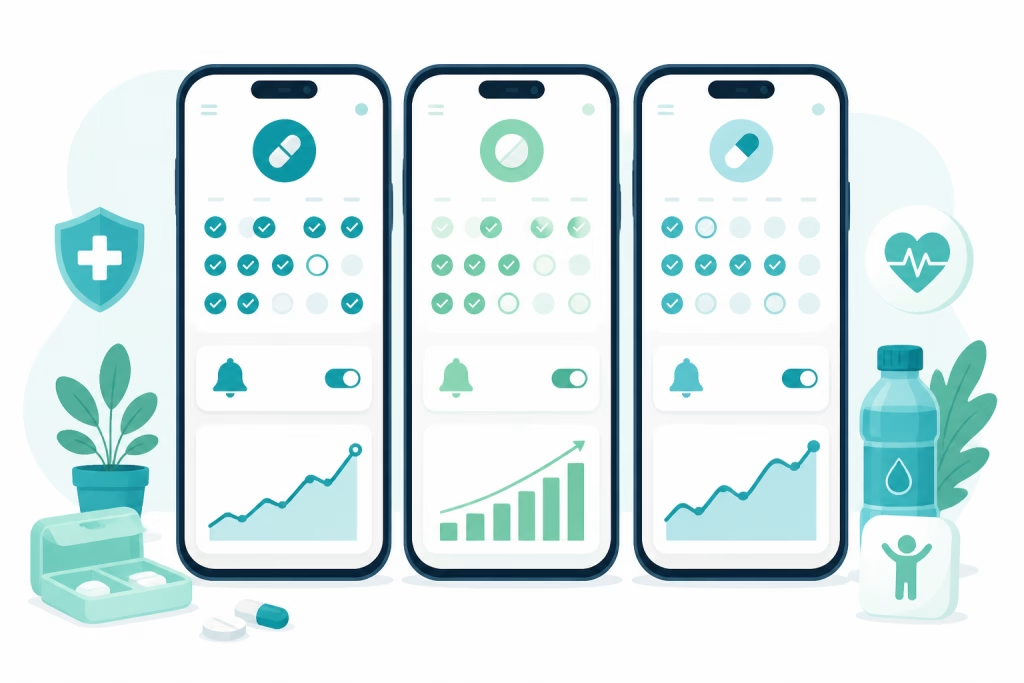
Pep was built specifically for GLP-1 users, and it shows. You can log weekly Ozempic shots with site rotation, set reminders, track weight and non-scale victories, log side effects, and view estimated medication levels over time. Pep also supports daily oral GLP-1s, so if you ever switch between shots and pills, your history stays in one app.
What sets Pep apart from every other app on this list: it is free with no subscription required for tracking, it is the only one that combines shots and pills, a free medication-level indicator, injection-site rotation, progress photos, body measurements, barcode food logging, and Apple Health sync in one app, and it is available in 10 languages on both iPhone and Android. Many competing apps lock the level chart or history behind a paywall, or leave out photos, pills, or a food log entirely. If you want to see how it works day to day, you can track your doses free with Pep on iPhone or Android. If you are on Android, our GLP-1 tracker app for Android guide covers setup tips specific to your phone. You can also see Pep’s Ozempic features at a glance on our Ozempic tracker page.
2. Shotsy — polished, but key features cost extra
Shotsy is a well-designed GLP-1 tracker with dose logging, reminders, and manually entered protein, water and calorie totals, and it has a loyal following. The drawbacks: the medication-level chart and Apple Health sync sit behind the Shotsy+ subscription (listed at $39.99 to $59.99 a year, or $9.99 to $19.99 a month, as of October 2026); there is no food log or barcode scanner (Shotsy itself suggests pairing it with MyFitnessPal or Lose It); and the store listing does not include progress photos, which Pep includes free. For a full breakdown, see our Pep vs. Shotsy alternative comparison.
3. Glapp — injection-only, English-only
Glapp is a newer app (launched March 2026) that tracks semaglutide and tirzepatide injections and logs side effects. It is injection-only, so it does not fit the Ozempic pill, and its store listing does not include a food log, progress photos, or body measurements, and it requires an account. See our Pep vs Glapp comparison for the full breakdown.
4. Dose AI — newer, subscription-based
Dose AI is another newer entrant that logs doses, side effects, and nutrition. It has a much smaller track record than Pep, and its extras sit behind a subscription, so weigh what the free tier actually includes before committing.
5. General health apps (MyFitnessPal, Lose It!)
Big-name calorie counters have added basic GLP-1 dose logging in 2026, but they were built around a calorie budget, not a medication routine: no titration support, no rotation map, no medication-level indicator, and no progress-photo timeline. Pep covers all of that free, alongside GLP-1-focused nutrition with barcode scanning and food search. See Pep vs MyFitnessPal and Pep vs Lose It. Our roundup of the best GLP-1 tracker apps covers this comparison in more detail.
How to Get the Most From Your Tracker
Whichever app you choose, a few habits make tracking dramatically more useful:
- Log your shot immediately. Recording the dose, day, and site right after injecting keeps your history accurate.
- Note side effects with timing. Patterns like post-shot nausea become obvious within a few weeks, and you can plan around them. Our guide to reducing nausea on GLP-1s pairs well with a good log.
- Weigh in consistently, not constantly. Once or twice a week at the same time of day shows the real trend.
- Bring your log to appointments. A clear dose and side effect history helps your provider fine-tune your treatment plan.
FAQ: Best Ozempic Tracker Apps
What is the best Ozempic tracker app for most people?
For most people, Pep is the best Ozempic tracker app because it combines dose reminders, site rotation, side effect logging, and weight tracking — all free, on both iPhone and Android.
Are Ozempic tracker apps free?
Some are, some are not. Pep is free with no subscription for tracking, while apps like Shotsy and Dose AI reserve certain features for paid plans. Always check what the free tier includes before committing. Our free GLP-1 tracker guide shows what to expect for $0.
Can these apps track other GLP-1 medications too?
Yes. Most of the apps above also track Wegovy, Mounjaro, Zepbound, and compounded semaglutide or tirzepatide. Pep additionally supports daily oral GLP-1 pills, which is helpful if your treatment changes over time.
One more thing that sets Pep apart from the apps above: a full set of free web calculators — including a weight loss projector and missed dose calculator — that work without downloading anything.
Download Pep free — track your shots, pills & progress in one app.

This article is for educational purposes only and is not medical advice. Always consult your healthcare provider about your medication and treatment plan.