
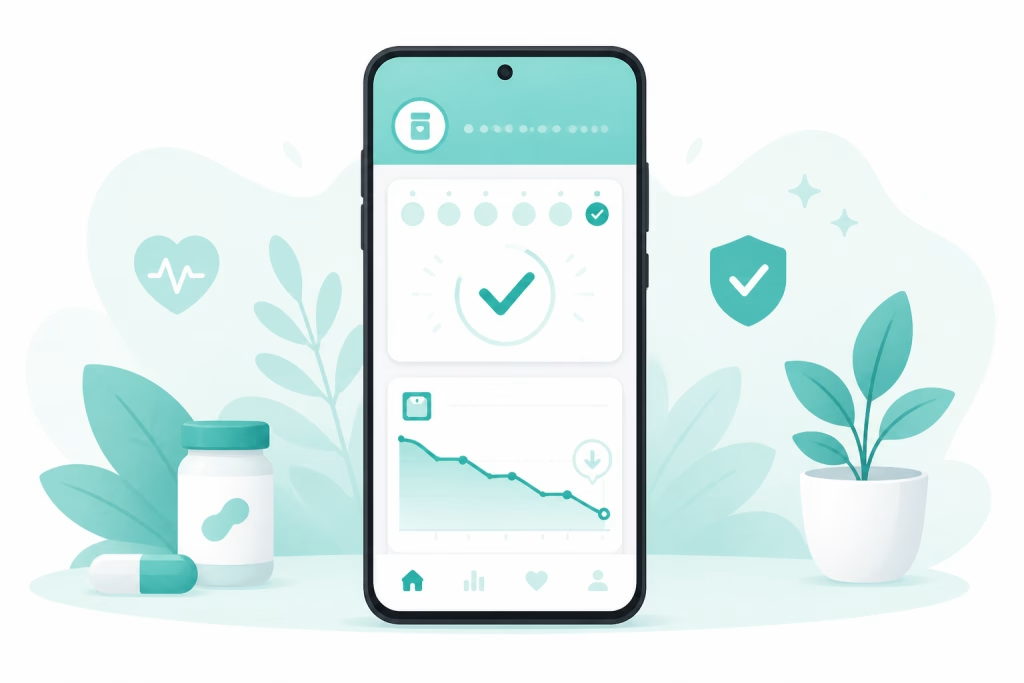
Finding the right GLP-1 tracker app for Android can make your weekly shot routine far easier to stick with. If you take Ozempic, Wegovy, Mounjaro, or Zepbound on an Android phone, you want one place to log every dose, track your weight, and watch your progress add up. That is exactly what Pep does — it is free to download on Google Play, rated 4.7 by more than 2,000 Android users, and it works as your Wegovy app, Ozempic app, Mounjaro app, or Zepbound app in one place.
This guide explains what to look for in a GLP-1 tracker app for Android, why tracking matters for your results, and how to get started in minutes.
Why a GLP-1 tracker app for Android matters
GLP-1 use keeps climbing — a Gallup survey from July 2026 found that about 11% of U.S. adults now take a GLP-1 medication, up from 3% in 2024. Millions of those users carry Android phones, and the medication works best when you take it consistently — yet staying consistent is the hard part. Research published in the Journal of Managed Care & Specialty Pharmacy found that one-year persistence with weight-loss GLP-1 medications climbed from roughly 33% in 2021 to nearly 61% by 2024 — but that still means many people stop within the first year.
Missing doses or losing track of your schedule can slow your weight loss and make side effects harder to handle. Fortunately, a dedicated tracker keeps your routine visible, so you always know:
- When your next shot is due
- Which injection site to use next
- How your weight and measurements are trending
- Which symptoms show up, and when
When everything lives in one app on your phone, consistency gets easier. And consistency is what ultimately drives results.
The payoff shows up in the data, too. A retrospective cohort study published in JMIR found that people who actively engaged with a digital health app while taking GLP-1 or dual GLP-1/GIP medications lost noticeably more weight over the first 12 weeks than typical clinical benchmarks. In other words, logging your doses and habits is not busywork — it is part of what makes the medication work for you.
What to look for in a GLP-1 tracker app for Android
Not every health app is built for GLP-1 users. A generic calorie counter won’t remind you to rotate injection sites or log your dose escalation. Therefore, when you compare options, look for these features:
- Shot logging and reminders so you never miss your weekly dose
- Injection site rotation tracking to keep your skin healthy
- Weight and measurement charts that show real progress over time
- Side effect tracking for nausea, fatigue, and digestion changes
- Nutrition logging for protein, fiber, water, and calories
- A clean, fast Android experience that fits your daily habits
Pep was designed specifically for people on GLP-1 medications, so each of these features is built in. For a full breakdown, read our comparison of the best GLP-1 tracker apps for Android and iPhone.
The easiest way to see the difference is to try one: you can track your shots and pills free with Pep and have your first dose logged in under a minute.
Comparing GLP-1 tracker apps on Android
Google Play now offers several GLP-1 trackers, so it is worth a quick comparison before you commit. Shotsy and a handful of newer apps focus on shot logging, while general weight-loss apps bolt GLP-1 features onto calorie counting. Pep stands out because the core features — dose logging, reminders, injection site rotation, weight trends, and side-effect notes — are free, and it tracks both injections and daily pills in one place.
For a deeper side-by-side look, see our best Ozempic tracker apps comparison and our head-to-head Pep vs. Shotsy review. Both break down exactly what each GLP-1 tracker app for Android includes at no cost.
Looking for a Wegovy, Ozempic, or Mounjaro app for Android?
Many people search for a “Wegovy app for Android” or an “Ozempic app for Android” and come up empty, because the drug makers’ own apps are limited or iPhone-first. The good news: you don’t need a separate app for each medication. One GLP-1 tracker app for Android can handle whichever brand you take, and it keeps your history intact if your prescription changes later.
Pep supports every major GLP-1 on Android, and we keep a dedicated guide for each one:
- Wegovy: weekly shots and the daily Wegovy pill in the same app. See the Wegovy tracker app page.
- Ozempic: weekly dose logging, site rotation, and blood-sugar-friendly habit tracking. See the Ozempic tracker app page.
- Mounjaro and Zepbound: tirzepatide escalation from 2.5 mg up to 15 mg, with a reminder at each step. See the Mounjaro tracker app and Zepbound tracker app pages.
- Compounded semaglutide or tirzepatide: log doses in mg or syringe units, so vial users are covered too.
Switching brands mid-journey is common, especially when insurance coverage changes. Before you start (or restart) a titration, our free GLP-1 dose schedule calculator shows the earliest date you could reach each step, and Pep can remind you when it is time to move up.
How Pep works as your GLP-1 tracker app for Android
Pep turns your phone into a complete GLP-1 companion. After a quick setup, you log your medication, set a reminder, and let the app handle the rest.
Here is how a typical week looks with Pep:
- Shot day: Log your dose and pick your next injection site. Pep tracks rotation so you don’t reuse the same spot too soon — see our guide to injection sites and rotation.
- Daily check-ins: Record weight, water, protein, and any side effects in seconds.
- Symptom relief: Noticing a pattern of nausea? Pep helps you spot it early, and our nausea tips pair well with the app.
- Progress view: Watch your weight trend, streaks, and non-scale wins build over time.
Because Pep stores your history in one place, you can see the full picture of your GLP-1 journey instead of guessing. Want the complete feature list? Visit the Pep GLP-1 tracking app page.
Android tips to get more from your GLP-1 tracker app
A few small settings make any GLP-1 tracker app for Android dramatically more reliable:
- Allow notifications and exempt the app from battery optimization. Android’s Adaptive Battery limits background activity for apps you rarely open, which can delay or silence reminders. Google’s own battery optimization guide explains the fix: go to Settings, then Apps, then Special app access, then Battery optimization, and set your tracker to “Don’t optimize.” On Samsung phones, also remove the app from “Sleeping apps” under Battery settings. A dose reminder only helps if it actually fires.
- Pin a reminder for your dose window, not just the day. Set the reminder for the time you actually inject or take your pill (many people pick a morning slot so a missed dose is noticed the same day).
- Log doses the moment you take them. A complete dose history is exactly what you need if you ever slip up — our missed GLP-1 dose guide explains why knowing your last dose date matters so much, and the free missed dose calculator shows what each medication’s label says to do based on how late you are.
- Track pills as well as shots. If you take an oral GLP-1, or think you might switch someday, choose an app that handles both so your history stays in one place. A good free GLP-1 tracker should never charge you to log either.
Tracking GLP-1 pills on your Android phone
Injections are no longer the only routine worth tracking. In December 2025, the FDA approved once-daily oral Wegovy (semaglutide 25 mg) as the first GLP-1 pill for weight loss, and daily tablets are now a normal part of GLP-1 treatment. A daily pill is easier to forget than a weekly shot, which makes reminders and streak tracking on your phone even more valuable.
Pep logs pills right alongside injections, so your history stays complete even if you switch between forms. If you take oral semaglutide, our Wegovy pill tracker guide covers exactly what to log each day, including the 30-minute empty-stomach rule.
Privacy checks before you download a GLP-1 tracker app for Android
Your dose history and weight trend are sensitive health data, so it is worth a 30-second privacy check before installing any GLP-1 tracker app for Android. Every listing on Google Play includes a Data safety section that shows what an app collects and whether it shares data with third parties — scroll down on the app’s Play Store page to find it. Before you tap install, a trustworthy tracker should:
- Explain clearly what it collects and link to a plain-language privacy policy
- Work without unnecessary permissions — logging a dose shouldn’t require your contacts or location
- Keep core features usable without oversharing — you shouldn’t have to hand over more personal data than you’re comfortable with just to log a shot
Getting started on Android
Setting up your GLP-1 tracker app for Android takes just a few minutes:
- Download Pep free from Google Play.
- Add your medication, dose, and shot schedule.
- Turn on reminders so you never miss a dose.
- Log your starting weight and measurements.
- Check in daily and watch your progress grow.
That’s it. No spreadsheets, no sticky notes, and no guesswork — just a simple GLP-1 tracker app for Android that keeps you on track.
Frequently asked questions
Is there a free GLP-1 tracker app for Android?
Yes. Pep is free to download on Google Play and works for Ozempic, Wegovy, Mounjaro, Zepbound, compounded versions, and daily oral GLP-1 pills.
Can a GLP-1 tracker app for Android remind me to take my dose?
Absolutely. Pep sends customizable reminders for your weekly shot or daily pill, so even a busy week won’t throw off your routine. Just make sure notifications are allowed in your Android settings.
Is there a free Wegovy app or Ozempic app for Android?
Yes. Pep works as a free Wegovy app, Ozempic app, Mounjaro app, and Zepbound app for Android, all in one download. Dose logging, reminders, injection-site rotation, weight trends, and side-effect notes are free, and you can switch medications inside the app without losing your history.
Does a GLP-1 tracker app for Android sync with Samsung Health or Health Connect?
Pep currently syncs with Apple Health on iPhone; Health Connect and Samsung Health sync are not available on Android yet. On Android you log weight, food, and water directly in Pep, which takes a few seconds a day, and your charts and daily summary work exactly the same way.
And you don’t even need the app to get started — Pep’s free GLP-1 calculators work right in your Android browser: weight loss projections, dose schedules, protein targets, and more.
Download Pep free — track your shots, pills & progress in one app.

This article is for educational purposes only and is not medical advice. Always consult your healthcare provider about your medication and treatment plan.