
Ozempic Tracker App
The Free Ozempic App for Shots, Pills and Progress
Pep is a free Ozempic tracker app for iPhone and Android. Log your weekly injection or the new daily Ozempic pill, rotate injection sites, track weight loss and side effects, and stay consistent with your medication — all in one place.

⭐ 4.7 on the App Store and Google Play · 3,000+ ratings
MEDICATION TRACKING
Track Your Ozempic Injections
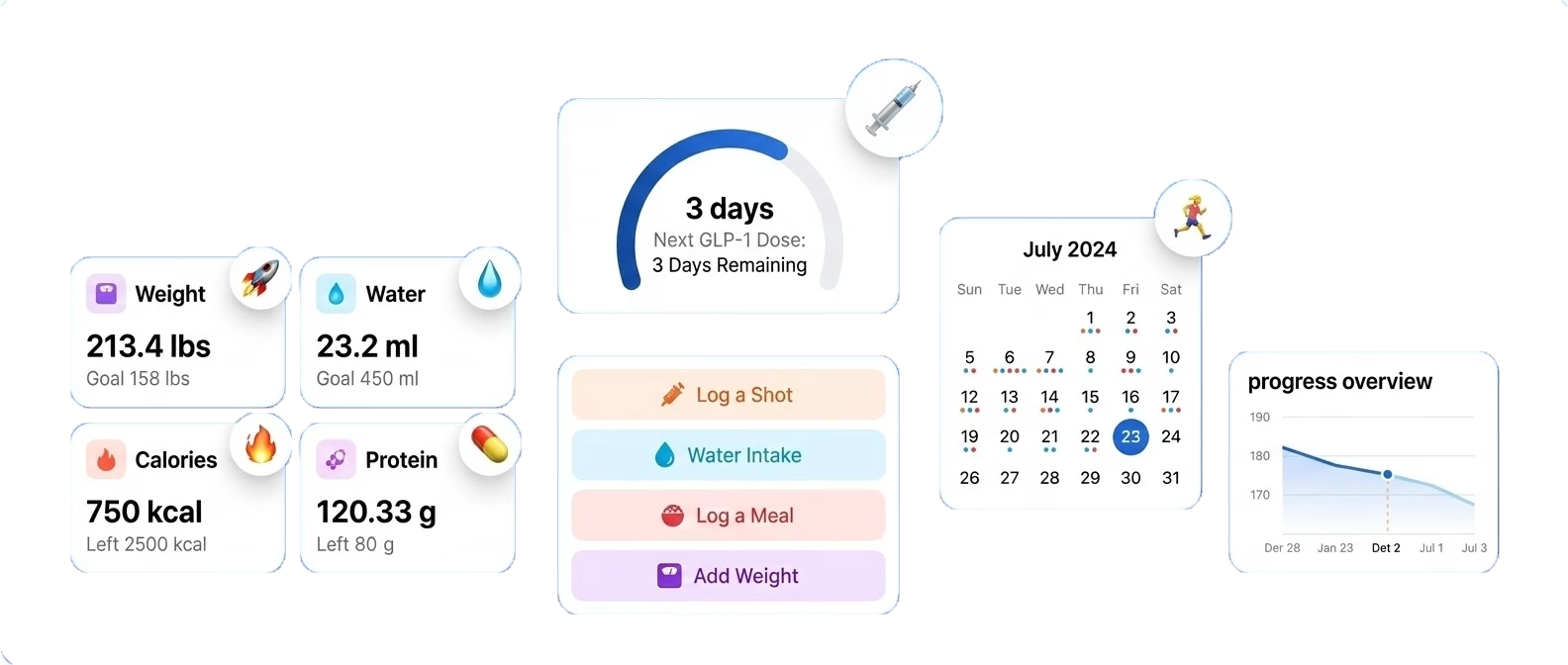
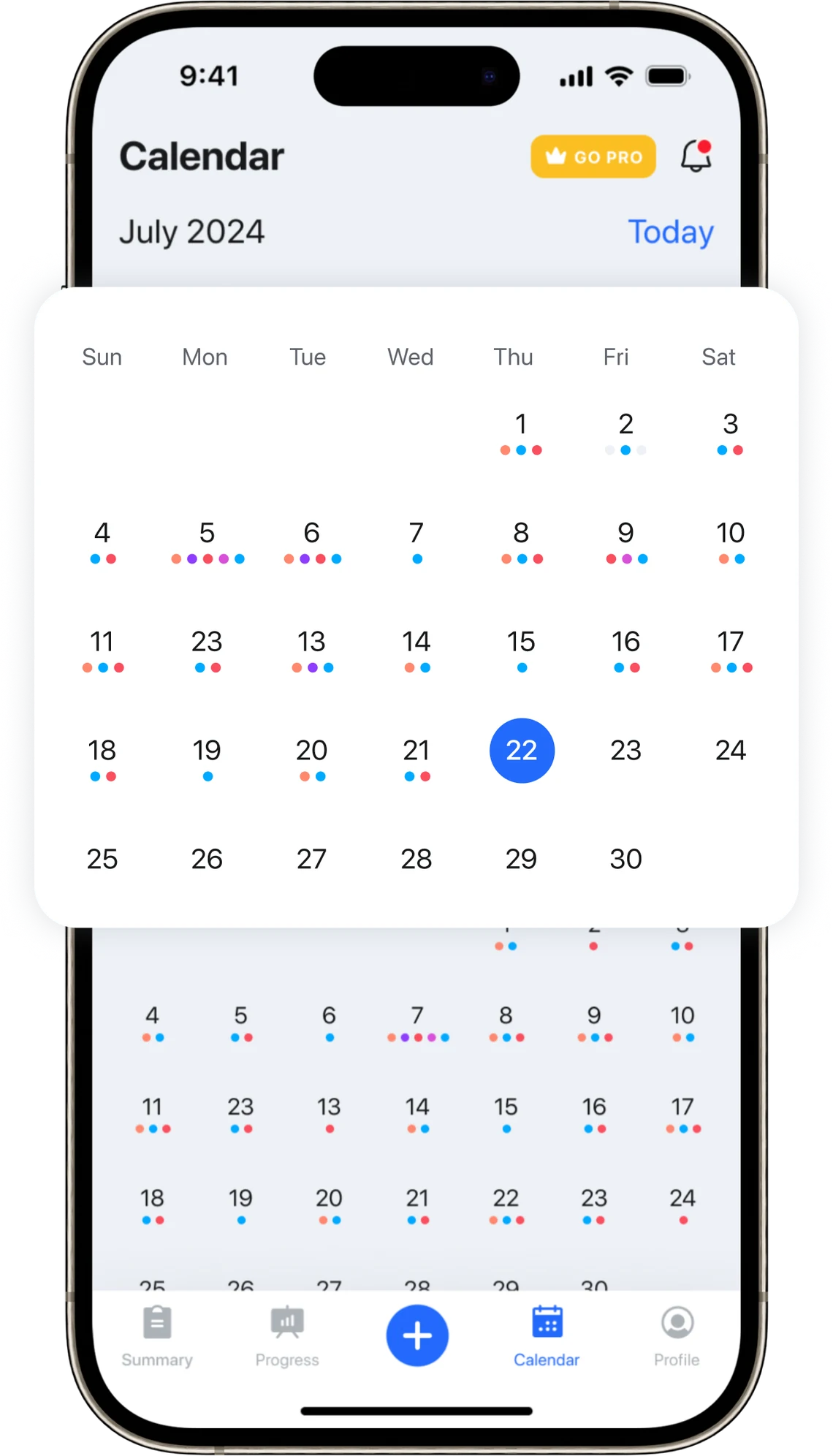
Staying consistent with Ozempic means knowing exactly when your last injection was, what dose you took, and when your next one is due. Pep makes it simple to log every shot and stay on schedule.
PROGRESS TRACKING
See Your Transformation at a Glance
One of the most motivating parts of the Ozempic journey is watching your progress over time. Pep gives you clear, visual tools to log your weight, measurements, and milestones so you can see how far you’ve come.
HEALTHY HABITS
Build Healthy Habits on Ozempic
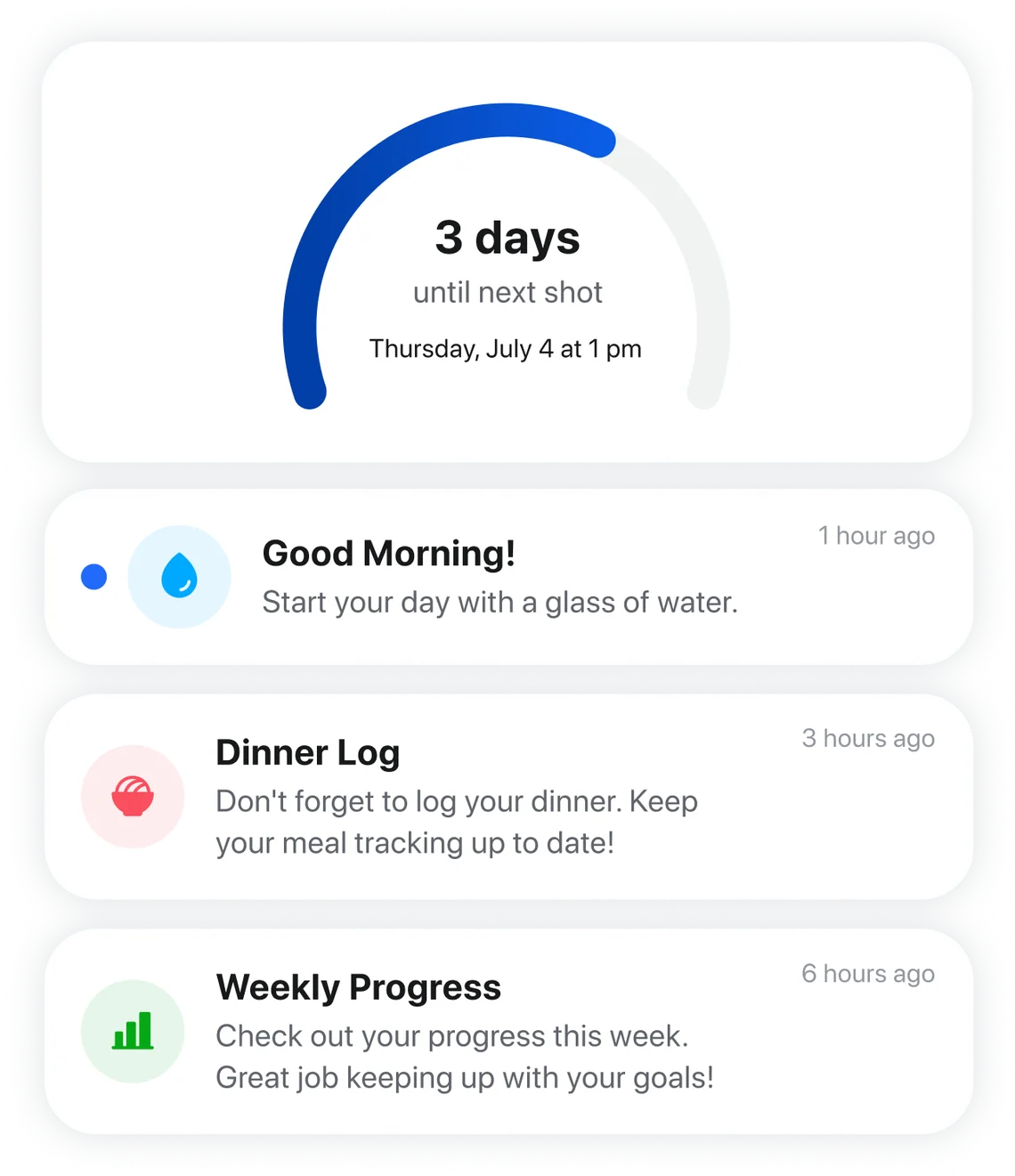
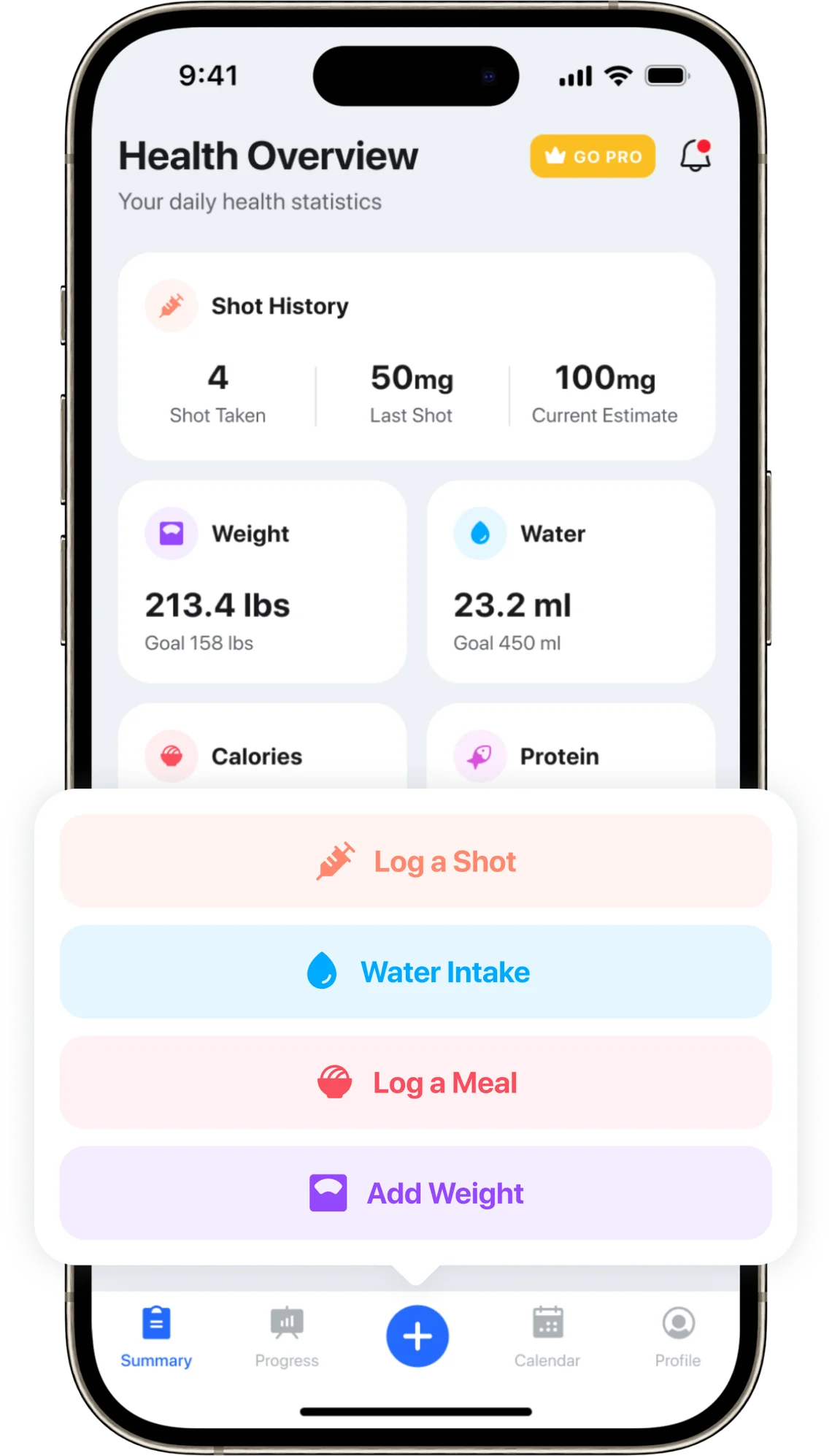
GLP-1 medications work best alongside consistent healthy habits. Pep helps you build and maintain routines — from daily medication reminders to nutrition logging — so you can get the most out of your Ozempic journey.
Compatible GLP-1 Medications
Pep supports all GLP-1 medications. Whether you’re on Ozempic, Wegovy, Zepbound, Mounjaro, Rybelsus, or a compounded GLP-1, Pep has the tools you need.
Why Use an Ozempic Tracker App?
An Ozempic tracker app takes the guesswork out of a once-weekly medication. Because semaglutide is injected just once every 7 days, it is surprisingly easy to forget which day you injected, what dose you took, and which injection site you used last. Logging every shot keeps your whole routine — doses, sites, weight, and side effects — in one place, so you and your care team can see exactly how things are going.
Consistency is where results come from. According to Novo Nordisk’s official dosing guidance, a missed Ozempic dose can be taken up to 5 days late — after that, you skip it and resume your normal schedule. A tracker with reminders makes missed doses far less likely in the first place, and if one does slip by, your log shows exactly how late you are. You can track every dose free with Pep.
The best Ozempic tracker app also goes beyond dose logging. Rotating where you inject keeps shots comfortable — see our guide to Ozempic injection sites — and noting side effects like nausea helps you spot patterns; our tips for reducing nausea on GLP-1s can help there too. If you want to compare your options, our roundup of the best Ozempic tracker apps looks at the top choices side by side.
What Makes Pep the Best Ozempic App?
Plenty of apps can set a weekly alarm. A good Ozempic app understands how semaglutide actually behaves in your body and what you need to log week to week. Here is what Pep includes, free, on both iPhone and Android:
- Shots and pills in one place. Log the weekly Ozempic injection or the once-daily Ozempic pill (the oral semaglutide tablet that launched in the US in 2026), with reminders that fit either routine.
- Injection-site rotation. Pep remembers whether your last shot went in your abdomen, thigh, or upper arm, so you rotate without guessing.
- Medication-level indicator. See roughly how much semaglutide is still active between doses, which helps explain why appetite creeps back on day six or seven.
- Weight, side effects, protein, and water. Log the details that matter on Ozempic and watch them turn into trend charts you can show your prescriber.
- Ten languages, no account required. Pep works the same on iOS and Android and keeps your core tracking free.
Because Ozempic is semaglutide, everything on our semaglutide tracker page applies here too, including Wegovy and compounded semaglutide if you ever switch. And if you want to see how Pep stacks up against Shotsy, MeAgain, and the rest, our comparison of the best GLP-1 tracker apps checks every feature against each app’s store listing. Coming from Shotsy? Pep vs Shotsy shows what stays free in each app and how to switch in five minutes.
Ozempic App Free Download: How to Get Started
Looking for an Ozempic app free download? Pep costs $0 on both the App Store and Google Play, and the core tracking features stay free. Getting set up takes about two minutes:
- Download Pep free on iOS or Android using the buttons above.
- Add your Ozempic prescription with your current dose — Pep also handles Wegovy, Zepbound, Mounjaro, and daily GLP-1 pills if you ever switch.
- Pick your shot day and reminder time, then log your starting weight to begin your trend line.
From there, your Ozempic tracker handles the reminders while you focus on the routine. And as your prescriber steps your dose up from 0.25 mg toward your maintenance dose, our free GLP-1 dose schedule calculator maps out the earliest date you could reach each step.
Why an Ozempic Tracker Beats a Notes App
Plenty of people start out tracking Ozempic in a notes app, a spreadsheet, or on paper — and it works, until life gets busy. A dedicated Ozempic tracker does the remembering for you: it knows your shot day, nudges you when a dose is due, and keeps your rotation history organized so you never have to scroll back through old notes to figure out which side you injected last week.
The bigger payoff shows up over months. Because an Ozempic tracker stores doses, weight, and side effects together, scattered entries turn into clear trends — the kind you can show your prescriber at your next appointment. Our guide on why tracking your GLP-1 journey improves results digs into the details, and if you’re weighing your options, here’s what to look for in a free GLP-1 tracker.
What to Log in Your Ozempic App Each Week
An Ozempic app is only as useful as what you put into it. Fortunately, a solid routine takes about a minute a day. Here is a simple weekly rhythm that works well for most people on the weekly pen:
- Shot day. Log the dose and the injection site as soon as you inject, so next week’s rotation is already decided.
- The few days after. Note any nausea, constipation, or fatigue while it is fresh. Stomach side effects are most common around dose increases, and a dated note helps your prescriber far more than “a few weeks ago.”
- Every day. Log protein and water. Because appetite is lower on semaglutide, it is easy to fall short on protein without noticing, and our free GLP-1 protein calculator gives you a daily target to aim for.
- Once a week. Weigh in on the same morning, before breakfast, so your trend line compares like with like.
- Before each appointment. Scroll back through your dose history and side effect notes, so you can tell your prescriber exactly how each dose step went.
Taking the daily Ozempic pill instead? The rhythm is the same, except the dose log becomes a quick morning check-off. And if you have ever wondered why Ozempic and Wegovy are both semaglutide yet come with different doses, pens, and insurance rules, our Ozempic vs Wegovy guide explains the difference in plain English.
Ozempic Tracker App FAQ
Is there a free Ozempic tracker app?
Yes. Pep is a completely free Ozempic tracker app for iOS and Android. You can log shots and pills, set reminders, track weight and side effects, and see your progress over time at no cost. Android users can follow our GLP-1 tracker app for Android guide for setup and the notification settings that keep dose reminders reliable.
What should I log in an Ozempic tracker?
At a minimum: your dose amount, the day you injected, and the injection site you used. Many people also log weight, side effects, protein, water, and meals — those extra details make trends much easier to spot as your dose changes.
What happens if I miss an Ozempic dose?
If it has been 5 days or less, take the missed dose as soon as you remember, then resume your weekly schedule from that day. If more than 5 days have passed, skip it and take your next dose on your regular day. Our missed GLP-1 dose guide walks through each scenario, the free GLP-1 missed dose calculator tells you what the label says based on exactly how late you are, and your prescriber can confirm what is right for you.
Is there an official Ozempic app from Novo Nordisk?
Not for tracking in the US. Novo Nordisk offers savings cards, dosing guides, and pen tutorials through NovoCare, and a companion app exists in a few other countries, but as of September 2026 there is no official US Ozempic app for logging doses, weight, or side effects. That is the gap an independent Ozempic tracker like Pep fills, and it works alongside whatever support program you use.
Does the Ozempic app track the new Ozempic pill?
Yes. In February 2026 the FDA approved Ozempic tablets (1.5 mg, 4 mg, and 9 mg oral semaglutide, the reformulated successor to Rybelsus) for type 2 diabetes, and the pill reached US pharmacies in the second quarter of 2026, according to Novo Nordisk’s announcement. Pep tracks the daily tablet the same way it tracks the weekly shot, with a morning reminder that fits the empty-stomach rule. Our GLP-1 pill tracking guide covers what to log each day.
How much does Ozempic itself cost in 2026?
Prices change often, but as of October 2026 Novo Nordisk’s NovoCare self-pay program lists Ozempic at $199 per month for the first two fills of the starting doses (0.25 mg and 0.5 mg, through December 31, 2026), then $349 per month for the 0.25–1 mg pens and $499 per month for the 2 mg pen. Insurance copays vary widely, so check NovoCare’s official pricing page and your plan for your exact price. For a dose-by-dose list of cash prices, see our TrumpRx and self-pay price breakdown. Our free GLP-1 cost calculator can estimate your monthly and yearly cost across payment options — and whatever the medication costs, the Pep Ozempic app is always a free download.
Can an Ozempic tracker show whether my weight loss is on track?
Yes — that is one of the biggest benefits of an Ozempic tracker. Logging weekly weights builds a trend line you can compare against average results from semaglutide’s clinical trials. Our free GLP-1 weight loss calculator projects a typical week-by-week timeline for your starting weight, and Pep charts your actual progress right alongside your goals. If your trend stalls for a few weeks, our GLP-1 plateau guide covers what usually helps.
Is the Ozempic app the same as a Wegovy app?
In Pep, yes. Ozempic and Wegovy both contain semaglutide, so the same free app tracks either one: you simply choose your brand and dose. The medications themselves are not interchangeable, though. They have different approved uses, dose ladders, and pens, which our Ozempic vs Wegovy guide walks through. If your prescriber ever moves you from one to the other, you can keep logging in the same app, and our Wegovy tracker page covers the Wegovy side.
Can I change my shot day in an Ozempic tracker app?
Yes. Ozempic’s label says the weekly injection can be taken at any time of day, with or without meals, and that you can move your weekly day as long as at least 2 days (48 hours) have passed since your last dose. In Pep, you then update your shot day and reminder time to match. If you are unsure about the timing, check with your prescriber or pharmacist before you switch days.
Is Pep the same as Pep AI?
No. Pep GLP-1 Tracker is the free-to-download iPhone and Android app from Shred Apps for logging GLP-1 shots or pills, weight, food, and progress, with an optional Pro subscription. It is separate from Pep AI, the peptide-focused app. See the Pep facts page for details.
This page is for educational purposes only and is not medical advice — always follow your healthcare provider’s instructions.
Start Tracking Your Ozempic Journey Today
Download Pep and take control of your GLP-1 journey. Track shots, monitor progress, and build healthy habits — all in one place.